Skip to content
For team leads

Every deal on your team, in sight

Flip the dashboard to Team and the pipeline by stage, the day's schedule and the latest viewings add up across everyone you lead. The figures build themselves from what your agents log.

A curved white model desk with three blank screens and a blue glow
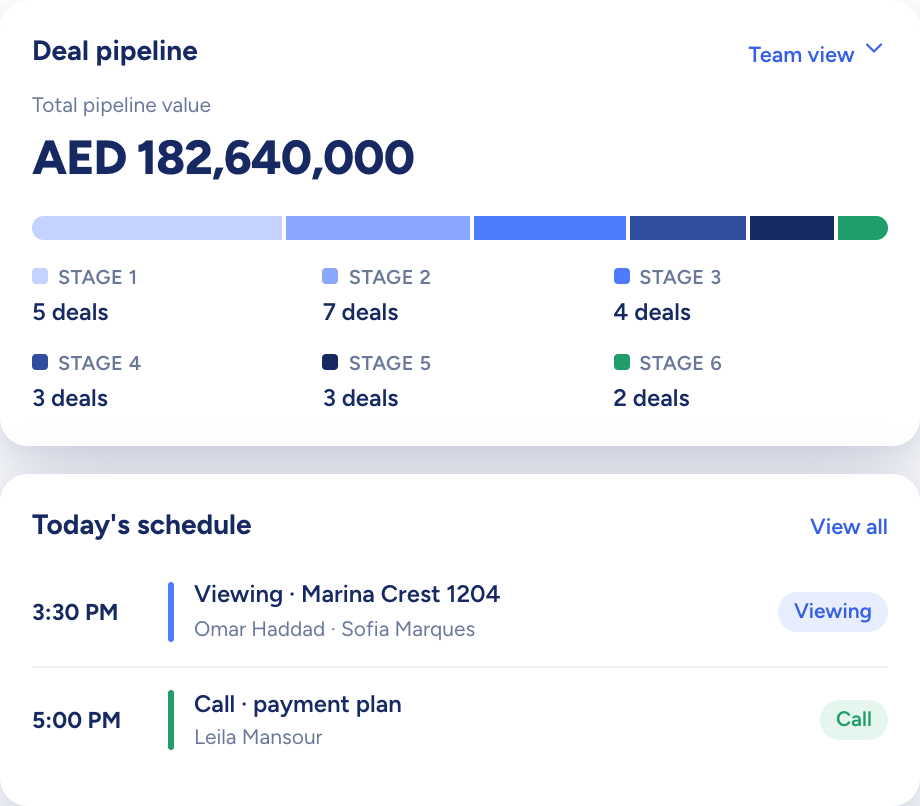
The dashboard: total pipeline value by stage above today's schedule

Raptor Neo takes on

Adds up the team's pipeline, schedule and viewings as the work is logged.

You keep

The coaching, and the call on which deal needs you this week.

  • Personal and Team views on one dashboard
  • Pipeline value and deal count per stage, team-wide
  • Each deal's days in its current stage
How it flows

Every agent's work in, one team view out

What goes in

  1. 01 Deals across the team StageValueAgent
  2. 02 The team's diary ViewingsCallsEvents
  3. 03 Buyer requests Viewing requestsShared links
The dashboard: total pipeline value by stage above today's schedule

What comes out

  • Deal Pipeline Total valueDeals in each stage
  • Team's Schedule OverdueScheduled
  • Recent Active Deals Agent's nameStage badge
What it does

The team's pipeline, added up for you

Switch the dashboard from Personal to Team and the tiles, the Deal Pipeline card and the schedule count everyone on your team, from total pipeline value to the number of deals sitting in each stage.

  • Total pipeline value across the team
  • Deals counted stage by stage
  • One toggle back to your own numbers
A model house with lines of blue light running out to a row of small billboards
You add
  • Each agent's deals
  • Each agent's diary
  • Viewing requests
Raptor Neo

Who is viewing what, at a glance

The Team's Schedule lists what is booked for today and flags anything overdue. The agent's name sits on each recent viewing and active deal, and fresh viewing requests from buyers wait in a panel of their own.

  • Overdue items flagged
  • The agent named on recent viewings
  • Viewing requests in one panel
Three model doors in a white wall, one navy, with keys hanging on a rack

Find the deals that have stopped moving

Every deal shows how many days it has spent in its current stage. Look over the slow movers before a one-to-one and you walk in with specifics, not a hunch.

  • Days in Stage on the deal record
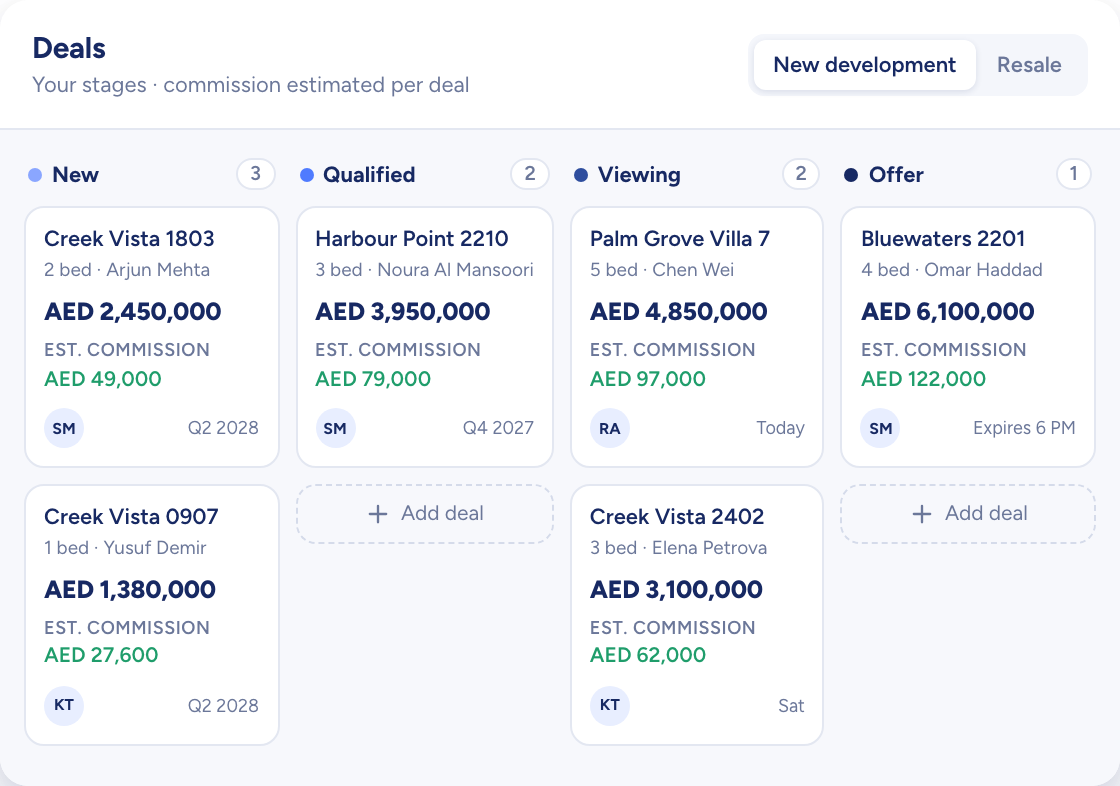
  • A kanban board for new development and resale
  • Drag a card to change its stage
A model house moving along a track through a series of white arches towards a key
Deals on a board by stage, each card with its price and estimated commission

How team leads use Raptor Neo

Open any module below to see how it does the job.

Questions

Asked and answered

What does the Team view count?

Everyone on your team. The stat tiles, the Deal Pipeline card, the schedule and the side panels add up your team members' records.

An admin with full access sees the same layout for the whole agency.

Can I see how long a deal has been stuck?

Yes. Open any deal and Days in Stage shows how long it has been in its current stage.

Who can delete a contact on my team?

Only the contact's owner, a team lead or an admin with full access. Sharing a contact, even with edit access, never passes on the right to delete it.

Every dealin sight.

Start the free trial today, or book a demo and see it run on your own listings.