Skip to content
Portal publishing

Feed the portals from the record you already keep

The title, description and photos you approved on the listing are what Property Finder, Bayut and Dubizzle receive, and each portal's status stays on the record where the whole team can see it.

A model house with lines of blue light running out to a row of small billboards
  • Three UAE portals fed from one record
  • Titles capped at 70 characters
  • A Draft never leaves Raptor Neo
How it flows

One record in, three portals out

What goes in

  1. 01 The listing copy 70-character titleOne descriptionUp to 20 photos
  2. 02 Distribution Channels Tick the portals it goes to
  3. 03 Listing status Draft stays privateActive is published
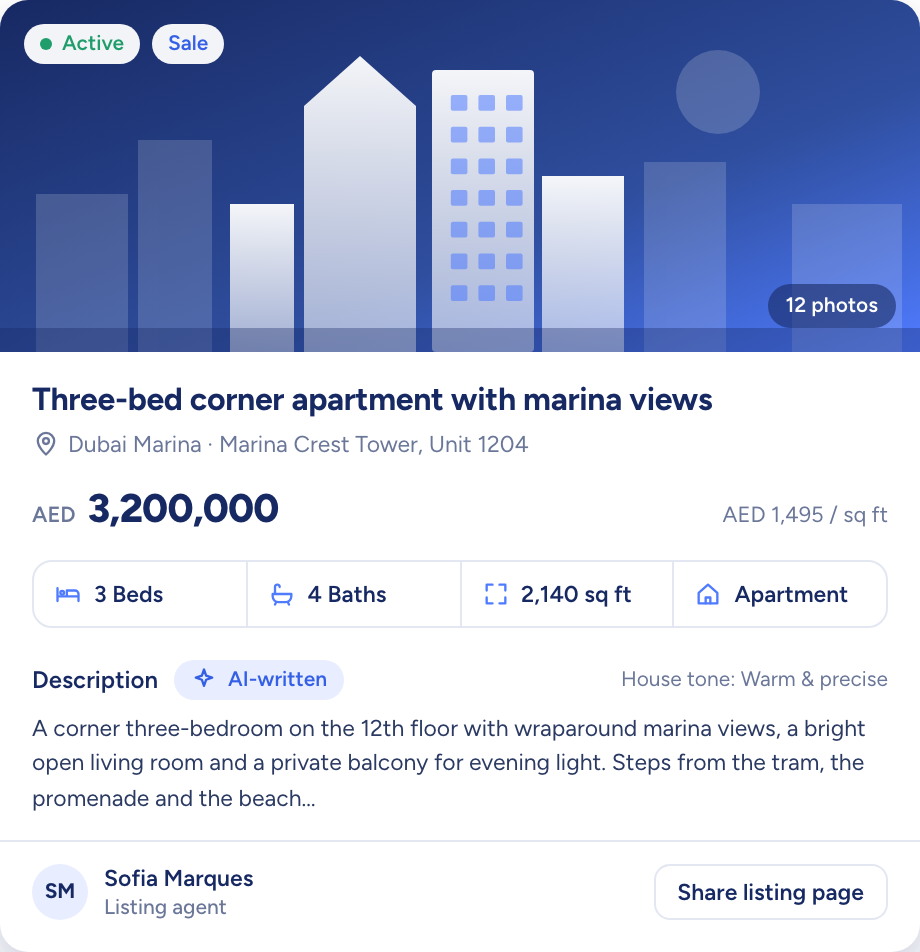
A listing record for a three-bed apartment: price, rooms, area and an AI-written description

What comes out

  • Property Finder Direct API connection
  • Bayut and Dubizzle One shared feedRebuilt every hour
  • Back on the record Live or not, per portalFailed syncs logged
What it does

The whole shopfront, from one table

The listings table has a Channels column, and a filter cuts it down to a single portal. Open any listing and each portal reads published or unpublished. Every agent in the agency can see every listing, so nobody waits on whoever holds the portal password.

  • Channels across the listings table
  • Narrow the table to one portal
  • Each portal's state on the record
A curved white model desk with three blank screens and a blue glow

Each listing picks its own portals

Publishing happens in the listing's Distribution Channels section. A checked portal means publish, a cleared one means unpublish, and the copy, photos and floor plans go from the record as they are.

  • Up to 20 photos and 10 floor plans
  • One description, the same on all three
  • Bayut and Dubizzle read one shared feed
Paper planes flying out of a white model mailbox past two model houses
A listing record for a three-bed apartment: price, rooms, area and an AI-written description

Nothing half finished reaches a portal

Every portal has fields it insists on, and Raptor Neo checks each listing against them first. A blank one keeps the listing off that portal and the failed sync is recorded against it. Drafts never get that far: publishing starts at Active.

  • Required fields checked portal by portal
  • Every failed sync recorded
  • Drafts are never sent
A model house moving along a track through a series of white arches towards a key
You add
  • Active status
  • Required fields
  • Photos and floor plans
Raptor Neo

Portal publishing at work

The jobs it takes off an agent's desk, week in, week out.

Questions

Asked and answered

Which portals can I publish to?

Property Finder, Bayut and Dubizzle, all in the UAE. Bayut and Dubizzle belong to the same company and read one shared feed.

Can each portal get its own title and description?

No. Every portal takes the title and description from the listing, so the copy you approved is the copy each portal shows.

How do Bayut and Dubizzle receive a listing?

Raptor Neo rebuilds the shared Bayut and Dubizzle feed every hour, and the portals collect it from there. You give them the feed's address once.

What happens if a listing is missing information?

Only the portal that needs the blank field misses out. Raptor Neo checks the listing against each portal's required fields, skips any portal it falls short for and records the failed sync.

Can a Draft listing end up on a portal by mistake?

No. Only Active listings are published, so a Draft stays inside Raptor Neo until you set it to Active.

Every dealin sight.

Start the free trial today, or book a demo and see it run on your own listings.