Skip to content
For owners and admins

The whole agency, seen from above

One dashboard counts every team and every agent: new contacts, live deals, commission and the pipeline by stage. Set the agency up once and the floor works to your rules.

A model house with lines of blue light running out to a row of small billboards
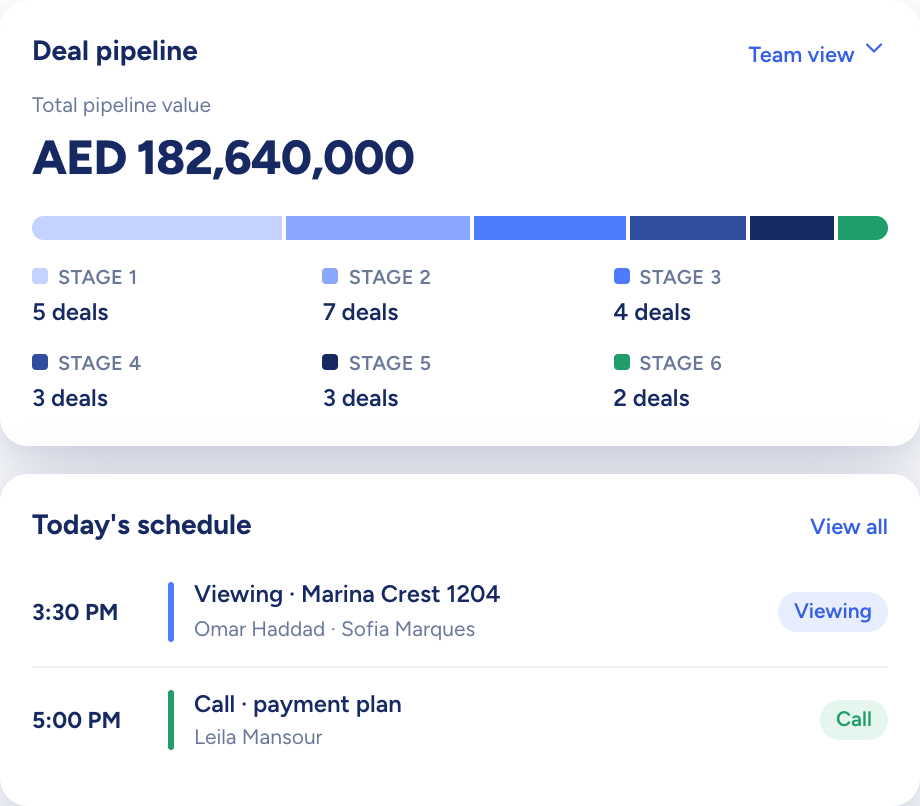
The dashboard: total pipeline value by stage above today's schedule

Raptor Neo takes on

Keeps the agency's numbers current, from the first contact to the commission.

You keep

How the agency sells, who does what, and where it goes next.

  • Commission and pipeline totals for the whole agency
  • Four built-in roles, plus any you define
  • Billing visible to full-access admins only
How it flows

Your set-up in, the whole agency out

What goes in

  1. 01 Who is on the floor UsersTeamsRoles
  2. 02 Your sales process Deal stagesContact roles
  3. 03 Where you trade CurrencyTimezoneLocations
The dashboard: total pipeline value by stage above today's schedule

What comes out

  • Admin dashboard Every teamCommission
  • Portal status PublishedUnpublished
  • Plans & Billing Yearly or monthlySeats
What it does

Every team on one dashboard

The admin view totals the whole agency: contacts added this month, viewings booked, deals still open, commission won and the pipeline stage by stage. Recent viewings and active deals name the agent on each one, viewing requests sit in a panel of their own with the times and message the client sent, and the week's new listings run along the bottom.

  • Commission counted when a deal is won
  • The agent named on recent viewings and deals
  • Listings added this week in one strip
A curved white model desk with three blank screens and a blue glow
You add
  • Every team
  • Every agent
  • Every deal
Raptor Neo

Set the agency up the way you sell

Choose your currency, unit of measurement and timezone once, and they apply to every price, floor area and timestamp. Then shape the picklists: separate deal stages for resale and new development, contact roles with their own fields, property types and locations up to four levels deep.

  • Stages reordered, hidden or added
  • Custom sections and fields per contact role
  • Locations imported from a CSV file
A white model crane lifting a navy panel onto a stack of printed boards

Add people, decide what they can do

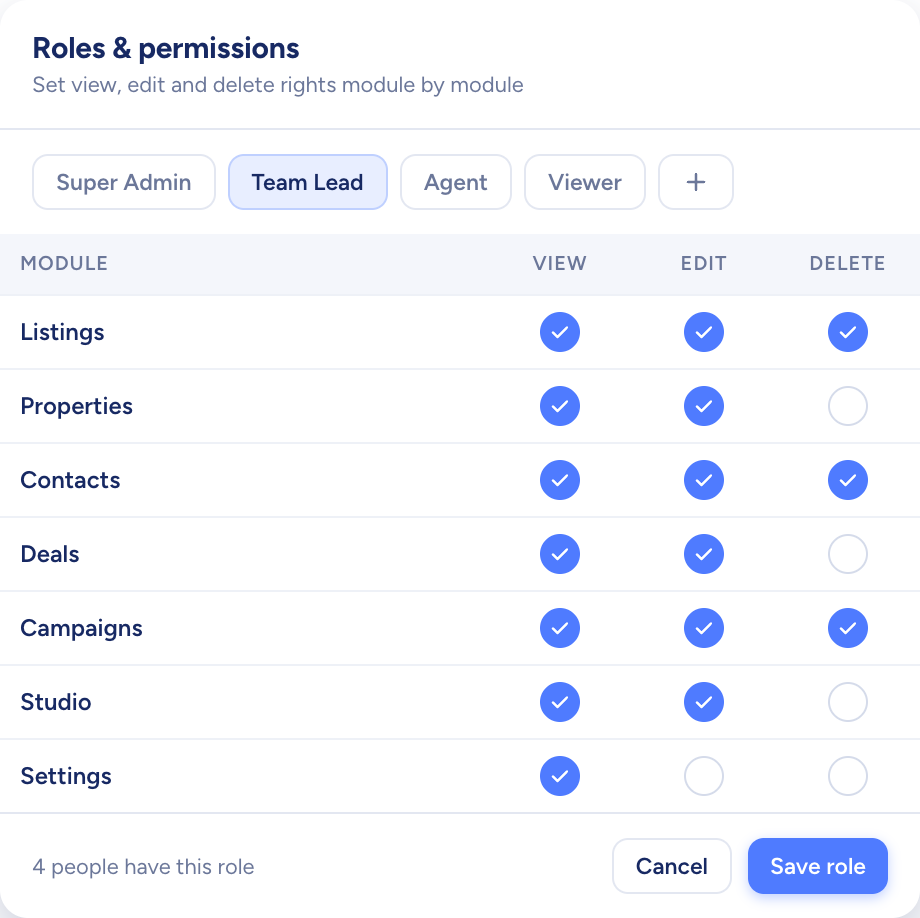
Add a user, set their password and give them a role: four built-in roles, or your own with permissions chosen module by module. Each active user takes one seat. Deactivate a leaver and they can no longer sign in, their data stays and the seat comes free.

  • Users grouped into teams, each with a lead
  • A house AI writing style for emails and campaigns
  • Seats and the billing cycle managed in Settings
Three model doors in a white wall, one navy, with keys hanging on a rack
A roles screen setting view, edit and delete rights for each module

How owners and admins use Raptor Neo

Open any module below to see how it does the job.

Questions

Asked and answered

What happens to an agent's records when they leave?

Deactivate the user: they can no longer sign in, their data stays and their seat is freed. Deleting a user takes away only the user record; their records are not handed to anyone else.

Who can see billing?

Only an admin with full access. Other roles don't see Plans & Billing in Settings, and the pages stay closed to them.

Can we switch between monthly and yearly billing?

Yes. Change the billing cycle in Plans & Billing. You pay nothing extra on the day; the switch happens when the plan next renews.

Can we add seats part-way through a term?

Yes. You pay at once, and only for the days that remain in the current term. Seats added while you are still on the free trial are simply included in the first payment, at the full price.

Can the AI write in our house style?

Yes. Pick a preset style (Professional, Friendly or Formal) and add your own instructions in plain words. The AI follows that style when it drafts emails and campaign content.

Every dealin sight.

Start the free trial today, or book a demo and see it run on your own listings.