Skip to content
Product

The admin, handled. The deals, in sight.

AI drafts the listings, ranks the buyers who fit and keeps each deal on track, for agencies of any size that don't need Salesforce.

The raptor chick flying over a white and navy model neighbourhood
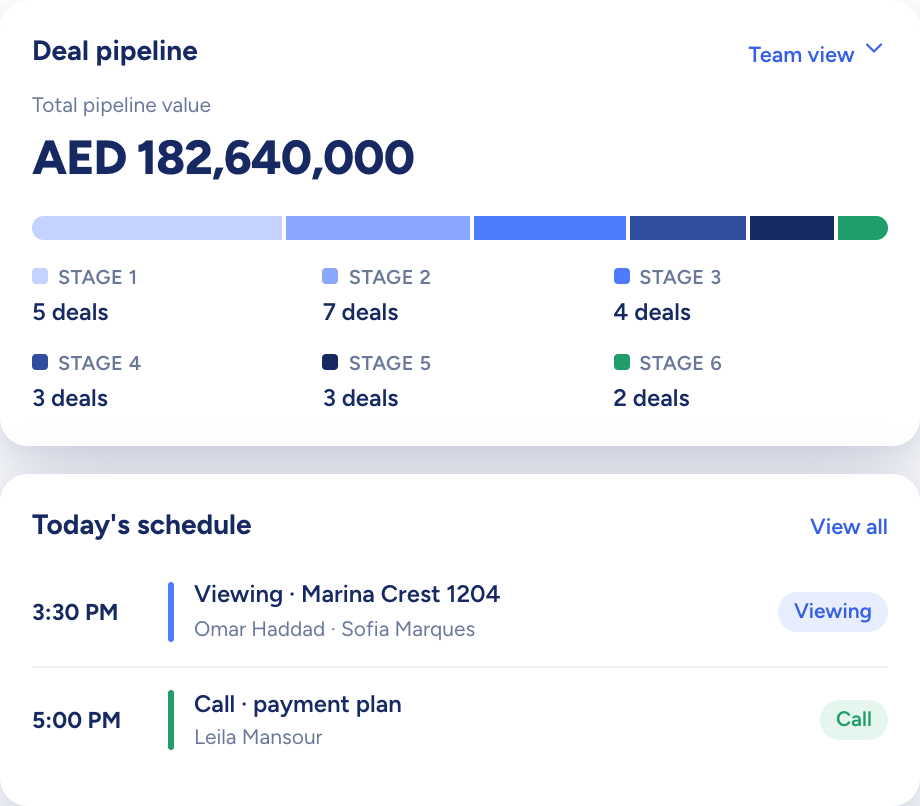
The dashboard: total pipeline value by stage above today's schedule
Modules

What each module does from day one

Every module works on the same records, so a listing, its buyers and its deal never have to be typed twice.

Properties and listings

A tower, its units and their listings, set up together

Create a property with its units and listings in one flow, or add a single listing on its own. Type in the facts and AI drafts the title and description for you to check.

  • A launch's units generated from towers, floors and units per floor
  • Edit the generated units together in one table
  • Switch between card and table views

Explore Properties and listings
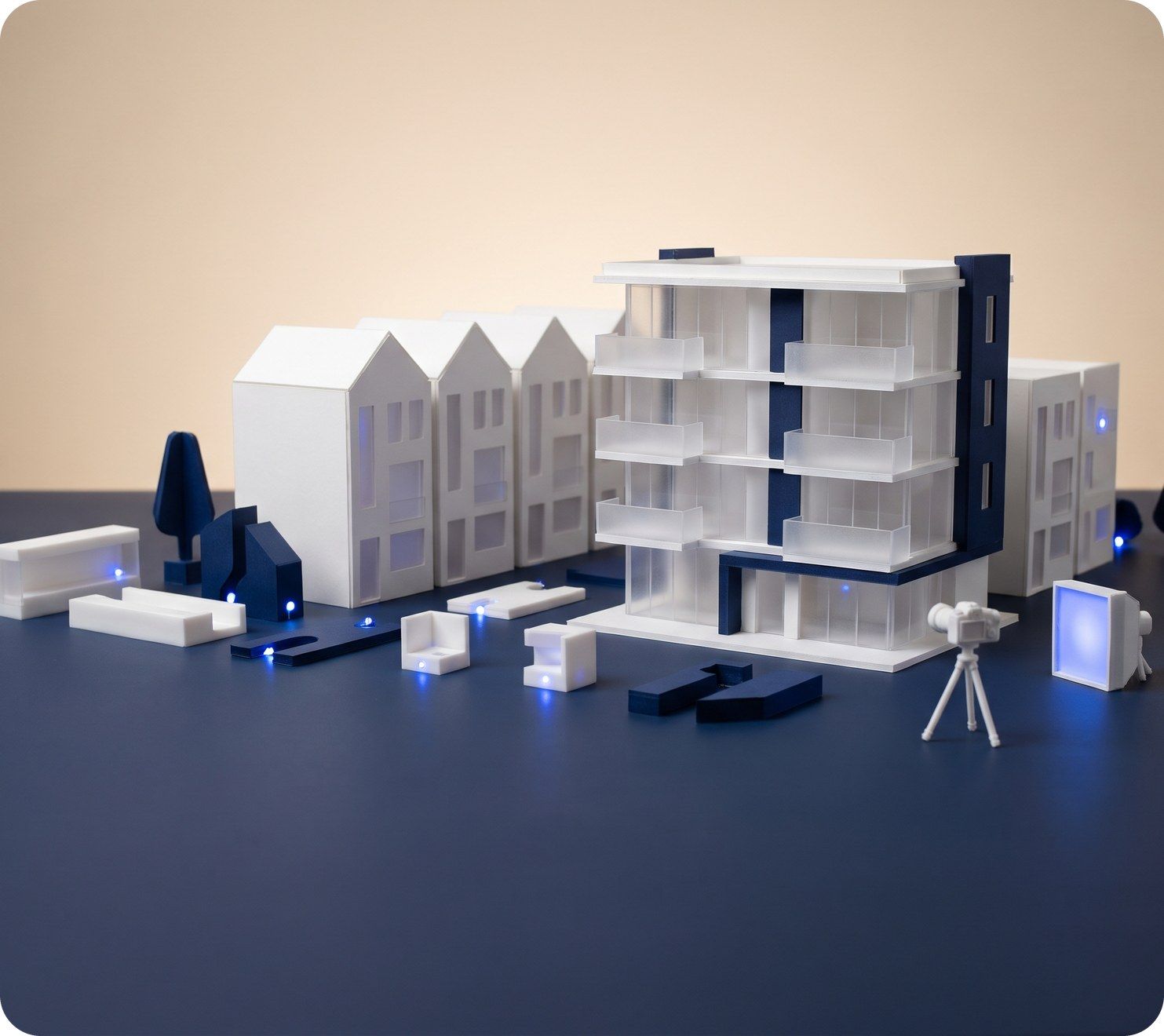
A white scale model of an apartment block with a small camera on a tripod photographing it
A listing record for a three-bed apartment: price, rooms, area and an AI-written description
Portal publishing

Publish once, and three portals take it

Connect your portal accounts in Settings and the listing record feeds Property Finder, Bayut and Dubizzle. Keep a listing in Draft until it's ready, since only Active listings are sent.

  • Choose the portals on the listing itself
  • Published or unpublished, shown per portal
  • One title and description for all three
Explore Portal publishing
A model house with lines of blue light running out to a row of small billboards
Contacts

What every client wants, known before you call

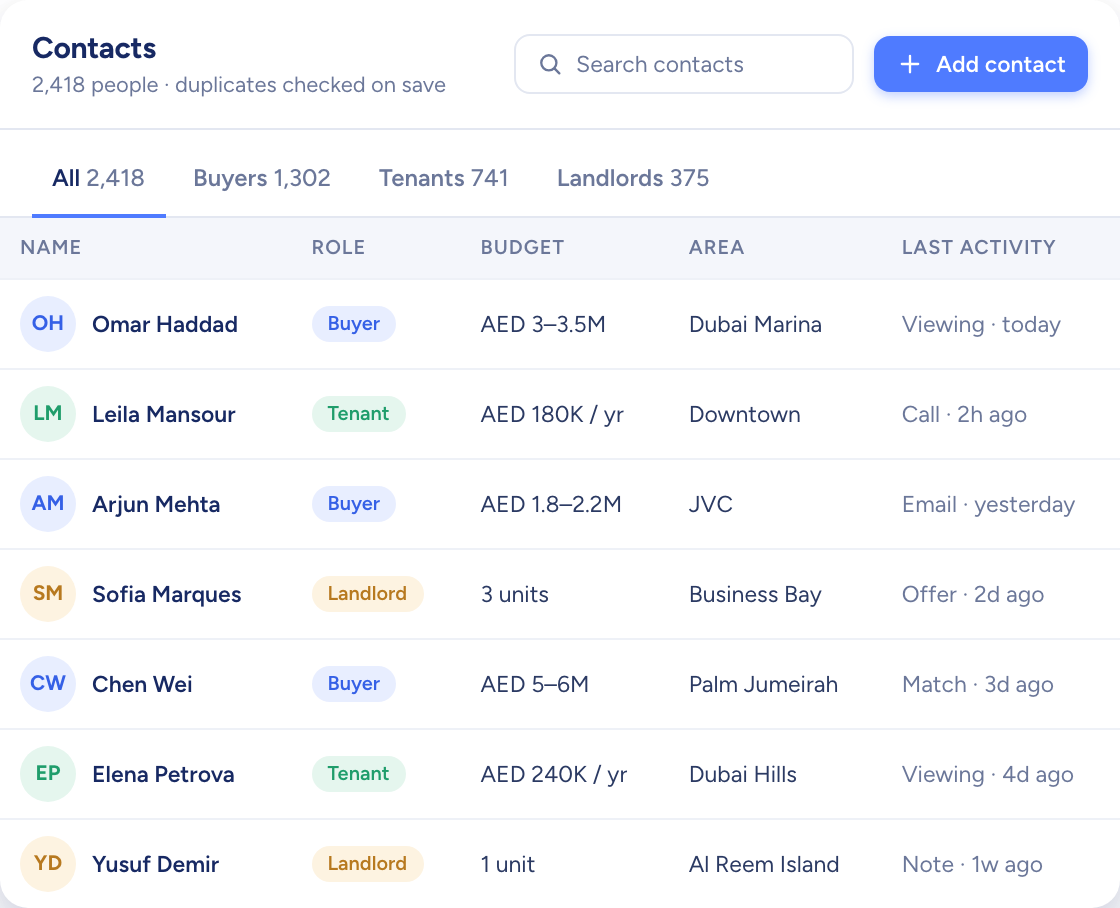
Each contact carries a buying or renting profile and ten match factors, every one rated from 1 to 5 for how much it matters. Roles mark who is a buyer, a tenant or a landlord.

  • A likely duplicate flagged as the contact is created
  • What each person can see follows their role
  • Email a contact from your own Gmail or Outlook
Explore Contacts
A navy card-index box of white cards beside a corded phone and model houses
The contacts table with buyers, tenants and landlords, their budgets, areas and last activity
AI Match

Each listing's best-fit buyers, re-ranked as things change

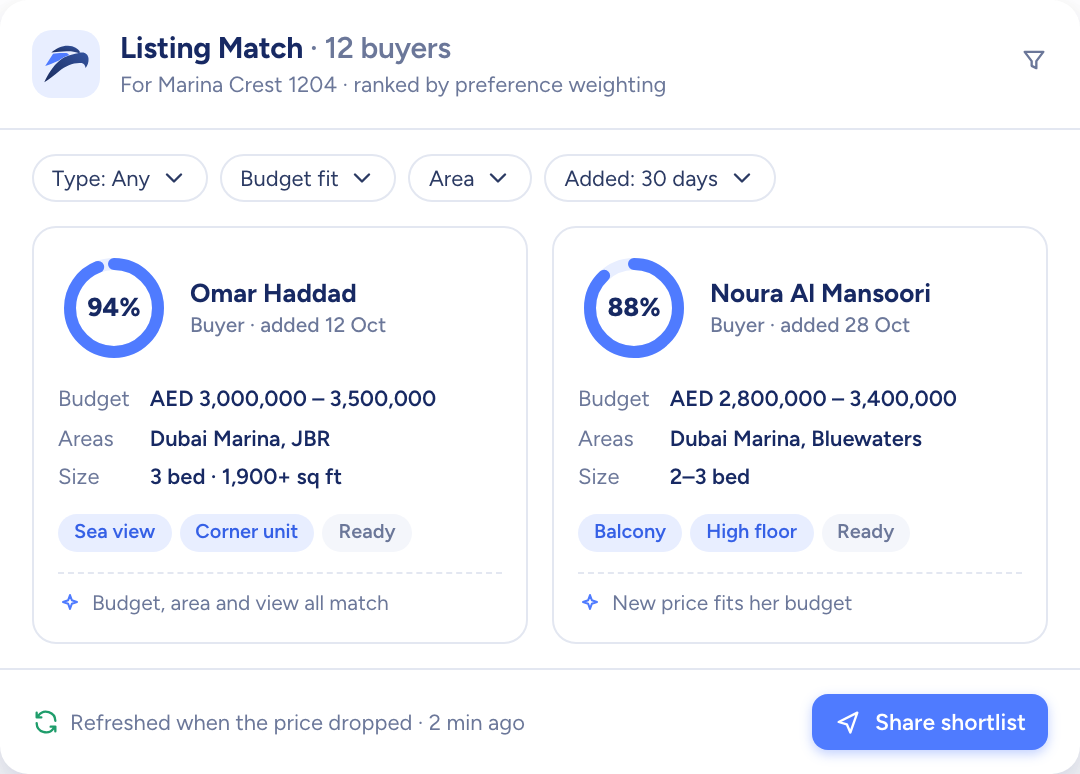
AI Match weighs the factors each buyer cares about and gives every listing a match percentage against them. The scores update when a profile, a listing or the stock changes.

  • Per listing: buyers ranked by match %
  • Per contact: listings ranked by match %
  • Manual shortlists kept in folders alongside
Explore AI Match
The raptor chick watching over rows of white model houses, one of them lit blue
Buyers ranked for one listing by match percentage, with budget, areas and size
Campaigns

Shortlist in, viewing requests back

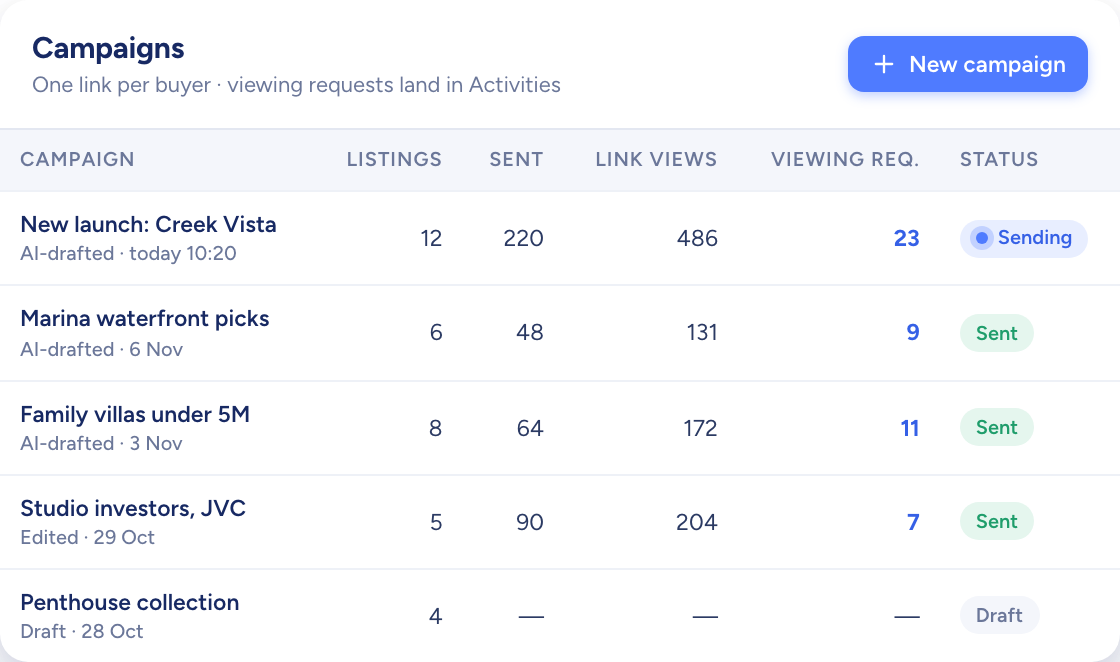
Pick the buyers and homes from your matches, say what the email should cover and AI writes the draft, which goes out from your own mailbox. Each campaign has a page where buyers mark the homes they like and ask to view them.

  • A shareable listing page for every campaign
  • Views counted on each shared link
  • Every campaign in a table or a kanban
Explore Campaigns
Paper planes flying out of a white model mailbox past two model houses
A table of campaigns with listings, link views and viewing requests per campaign
Deals and activities

Each deal tracked from first call to handover

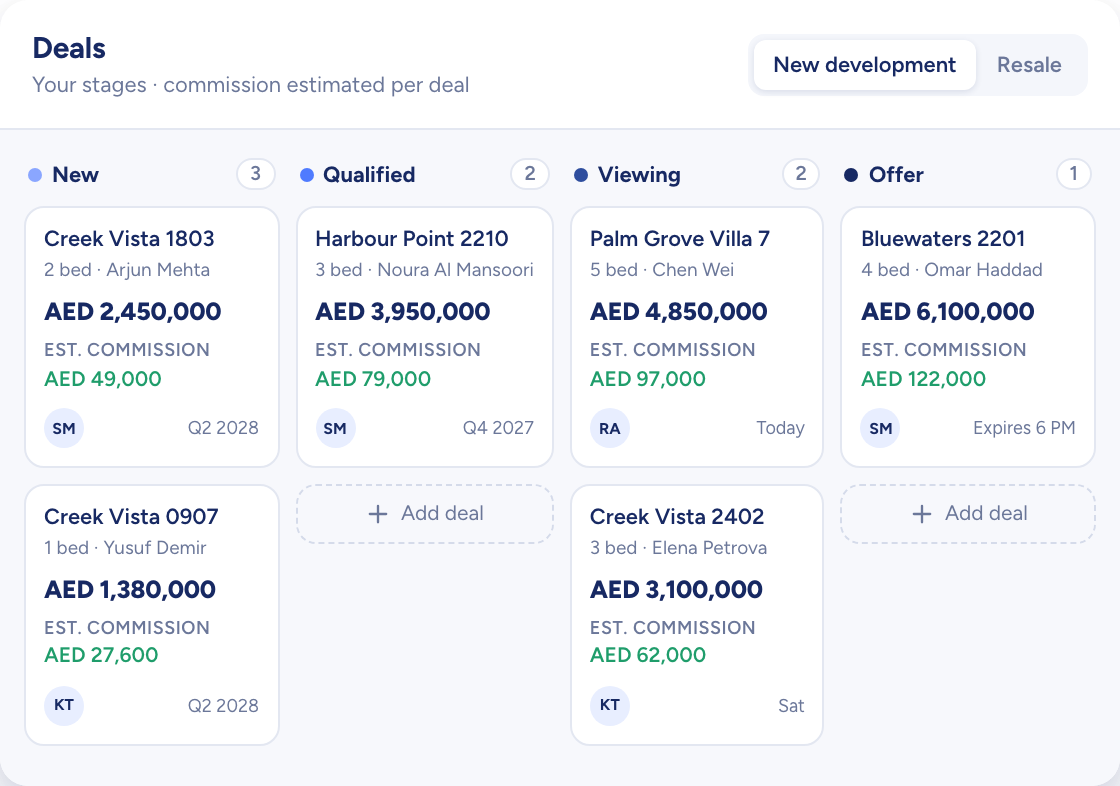
Deals move across a board by stage. Each deal record holds its contacts, its listing and its offers, and shows how long it has sat in the stage it is in.

  • Stages added, hidden or reordered by your company
  • Separate flows for new developments and resale
  • Viewings, calls and events in one calendar and one table
Explore Deals and activities
A model house moving along a track through a series of white arches towards a key
Deals on a board by stage, each card with its price and estimated commission
Assistant

Ask Raptor, and the answer comes from your own records

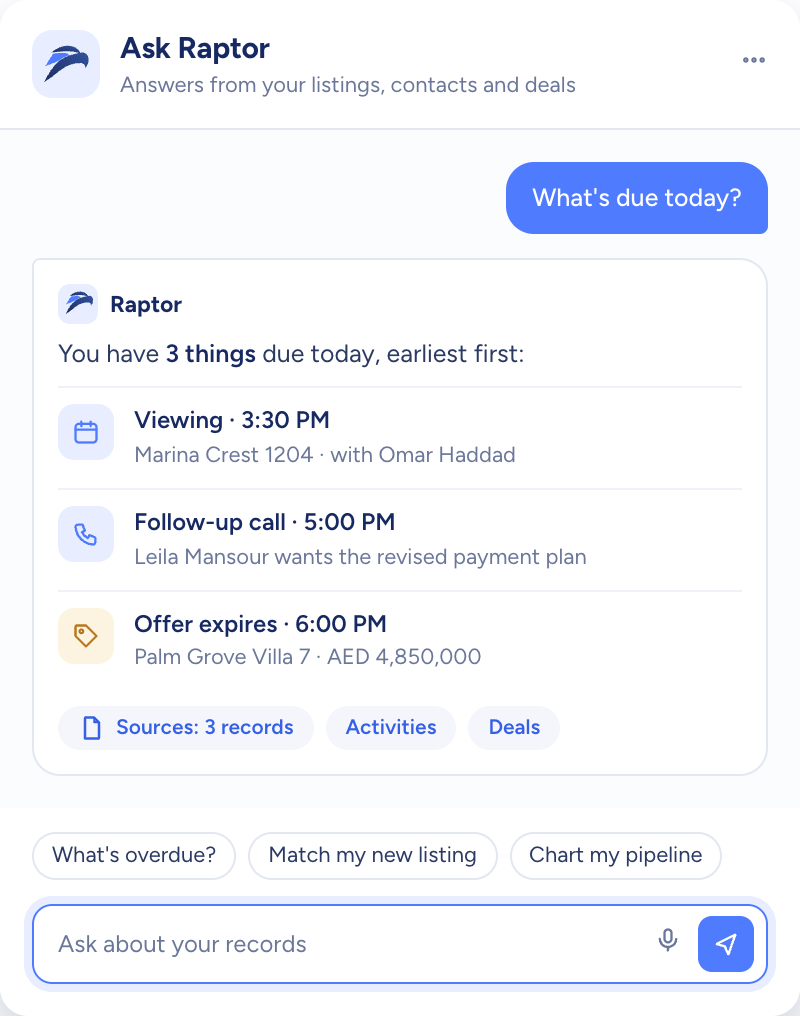
Raptor answers questions about your contacts, listings, deals and activities with counts, lists and charts. When it suggests a change, nothing is saved until you confirm it.

  • Ask in any language you work in
  • Every action follows your role's permissions
  • How-to answers open the matching help article
Explore Assistant
The raptor chick on a round plinth ringed with blue light, among white model buildings
Raptor answering “What's due today?” with a viewing, a follow-up call and an offer deadline, each linked to its record
Analytics

The office's numbers, with no weekly report to write

Agents, team leads and admins each get a dashboard, and the pipeline rolls up from one agent to a team or the whole company.

  • Pipeline value and the deal count per stage
  • Team and personal views on one switch
  • The listings added this week
Explore Analytics
A curved white model desk with three blank screens and a blue glow
The dashboard: total pipeline value by stage above today's schedule
Settings and roles

Set it up once, then run it your way

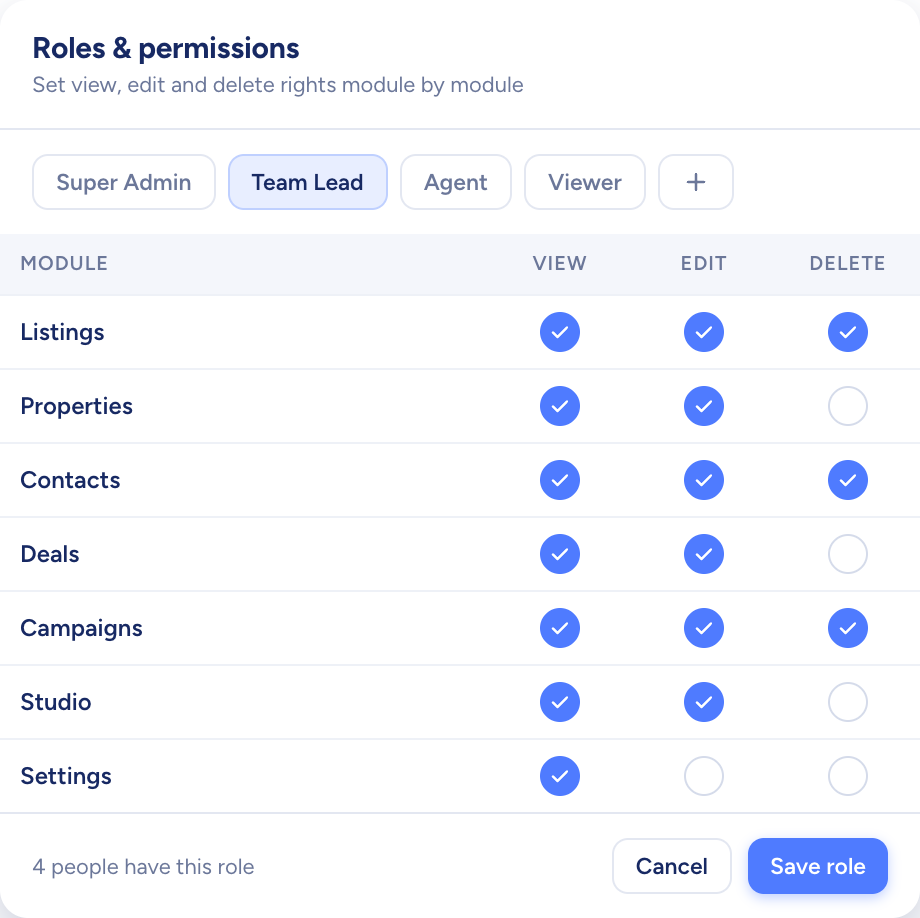
Settings holds what the office runs on: who can do what in each module, your users and teams, the stages a deal passes through, the roles a contact can take, your locations and property types, and the email account you send from.

  • Locations nested up to four levels deep
  • Custom fields for each deal stage
  • Yearly or monthly billing managed in Settings
Explore Settings and roles
Three model doors in a white wall, one navy, with keys hanging on a rack
A roles screen setting view, edit and delete rights for each module
Also live

Studio, Page Builder and import, ready now

  • Live now

    CSV import

    Contacts, listings and properties brought in from spreadsheet files of up to 10,000 rows.

Every module,one clear view.

Try them all on your own listings for 14 days, free. Cancel before the trial ends and you pay nothing.